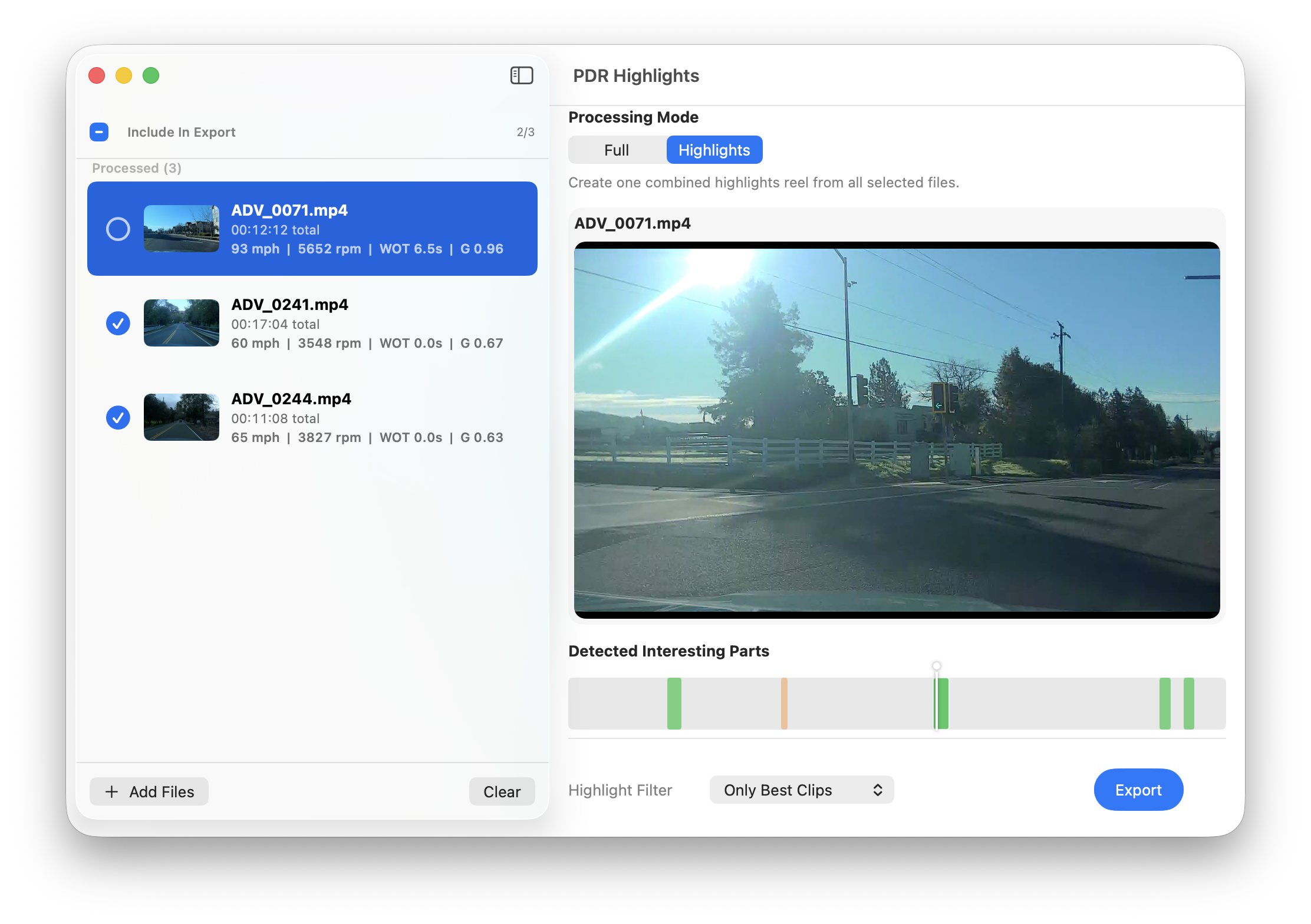
Drop your PDR 2.5 video files. PDR Highlights detects the most intense moments — hard braking, full throttle, peak G-forces — and exports a highlight reel with full telemetry overlay.
No timeline editing. No manual scrubbing through hours of footage. PDR Highlights does the work for you.
Drag and drop one or multiple PDR video files directly into the app. Telemetry data is parsed automatically from the PDR 2.5 format.
The app analyzes throttle, braking, G-forces, speed, and RPM to find the moments worth watching — launches, hard corners, big stops.
Hit export and get a single video file with a full telemetry overlay — ready to share with friends, post online, or keep for yourself.
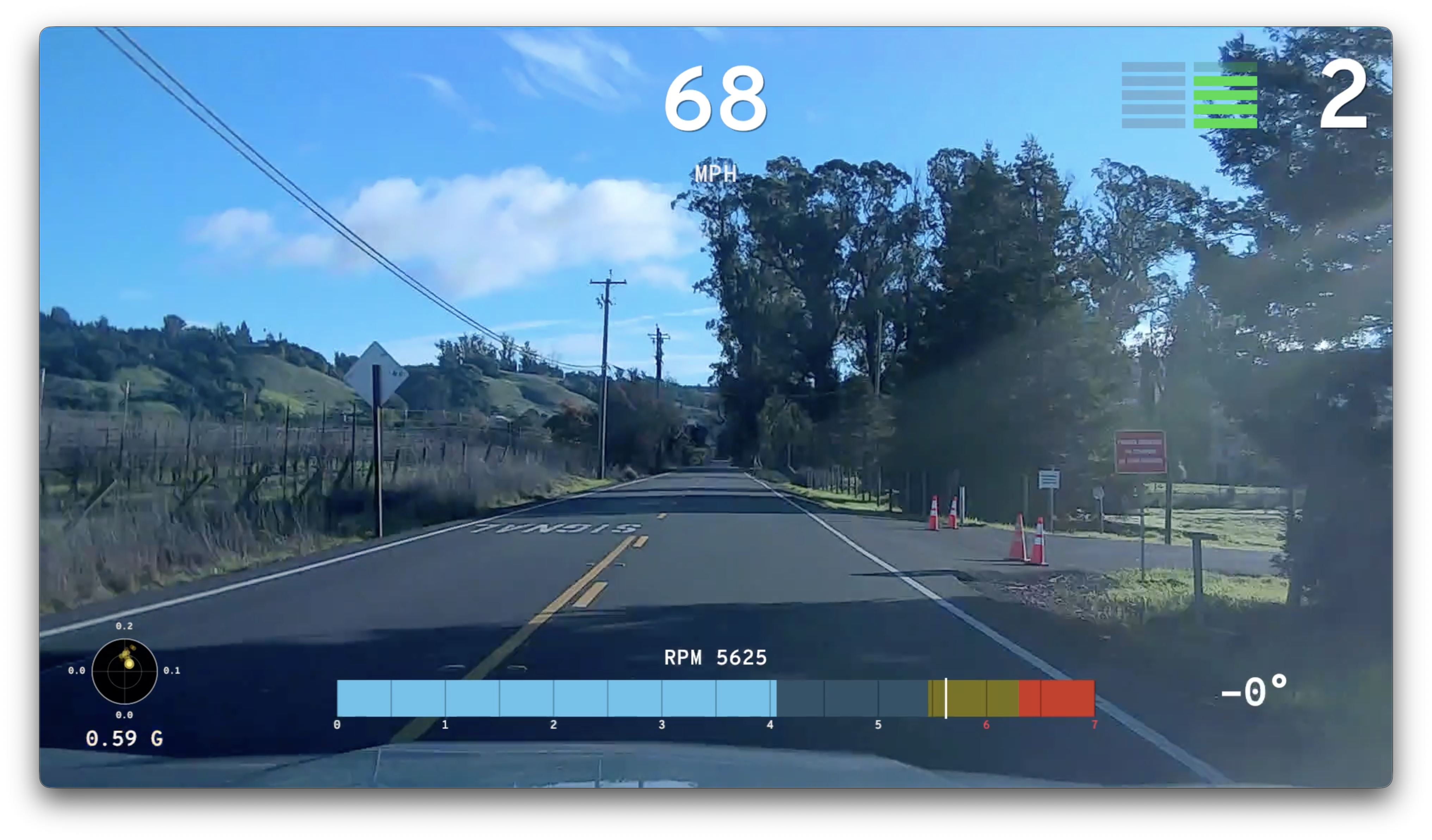
The exported video includes a real-time telemetry overlay that stays tightly aligned with the source video — gear shifts, braking, and G-forces appear exactly when they happen.
Real-time throttle and brake position displayed as you drive. See exactly how much pedal input was applied through every corner and straight.
Engine RPM and current gear shown live. Watch the tach climb and see every shift as it happens in your highlight reel.
Vehicle speed from the PDR data overlaid on every frame. Know exactly how fast you were going at any point in the clip.
Lateral and longitudinal G-force display. See the forces at play during hard braking zones, aggressive cornering, and full-throttle launches.
The exported clip is a polished highlight reel — not a raw dump. Moments are trimmed, transitions are clean, and the telemetry overlay is burned in so it looks great everywhere.
PDR Highlights reads the PDR 2.5 data format used by GM's Performance Data Recorder.
2025 and newer models with PDR 2.5
2026 and newer models with PDR 2.5
PDR Highlights is in beta. Download it, drop your videos in, and see what your best moments look like with full telemetry. Feedback is welcome.
Free during beta · No account required
Requires macOS with Apple Silicon (M1 or later)